

When a storm forces your airline to cancel a flight, the scramble to secure a new itinerary can feel chaotic. Fortunately, most major carriers publish weather‑related travel waivers that eliminate change fees, protect your seat class, and often allow you to keep checked bags free of charge. This guide walks you through every step— from spotting the waiver to confirming a new boarding pass—so you can get back on track without paying extra.
Understanding Airline Travel Waivers and Weather Policies
What is a travel waiver? A travel waiver is a temporary policy issued by an airline that suspends certain fees (change, cancellation, baggage) when flights are disrupted by events outside the carrier’s control, such as severe weather, hurricanes, or volcanic ash.
Why do airlines issue waivers? During extreme weather, airports may shut down, crew members can be stranded, and aircraft may be grounded for safety. Waivers help airlines maintain goodwill, reduce the administrative burden of processing individual refunds, and comply with regulatory expectations.
Key airlines currently offering waivers (as of 2024)
- Delta Air Lines – waives change fees for all domestic flights affected by thunderstorms, snow, or hurricanes.
- United Airlines – provides a “weather‑only” waiver that also covers re‑booking on partner airlines.
- American Airlines – eliminates baggage fees and fare‑difference charges for flights canceled due to severe weather.
Regulatory backdrop The U.S. Department of Transportation (DOT) requires airlines to promptly notify passengers of cancellations and to offer a refund or rebooking option. The Federal Aviation Administration (FAA) issues weather advisories that airlines reference when activating waivers. Understanding these rules can give you leverage when speaking with customer service.
Step‑by‑Step Process to Rebook After a Weather Cancellation
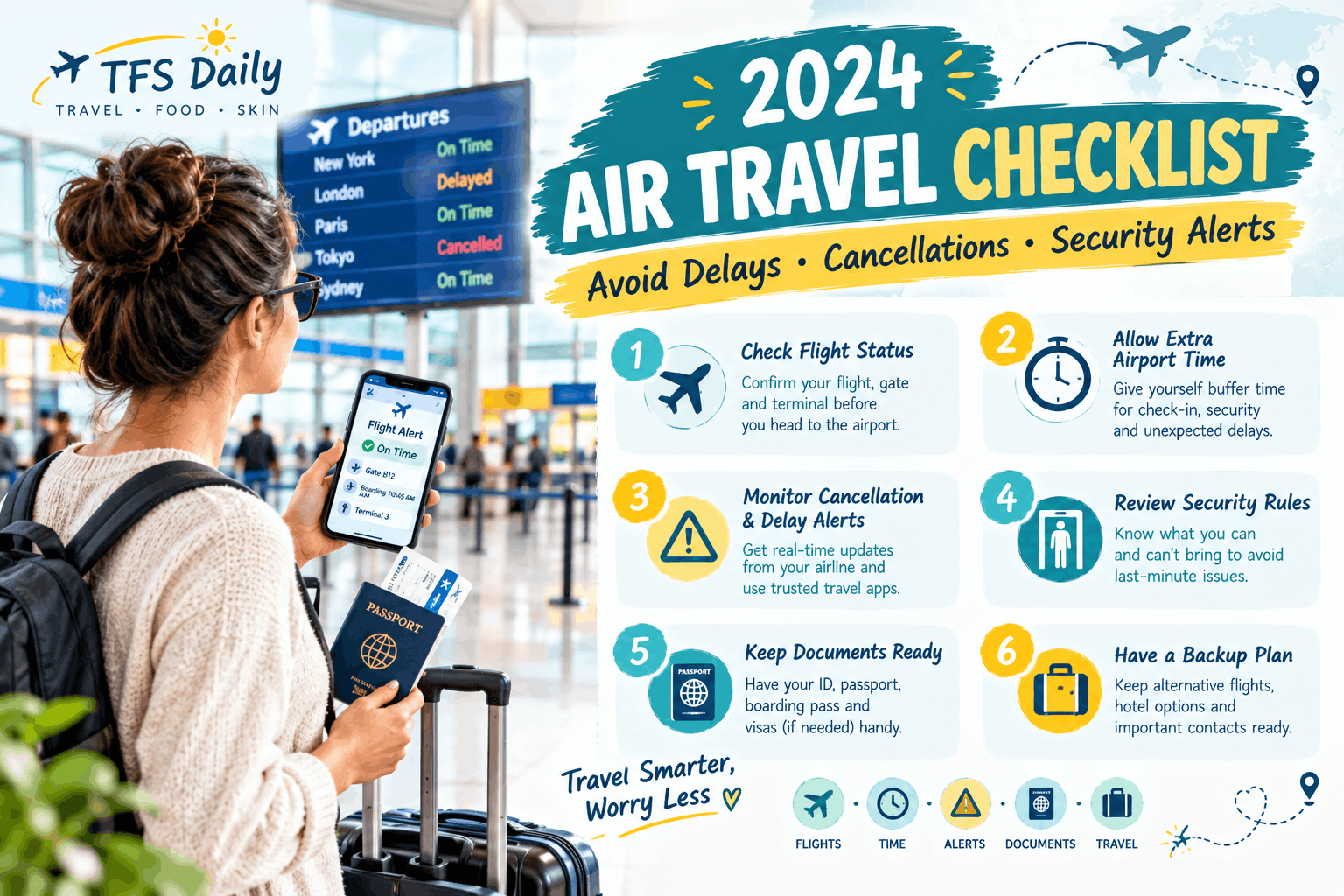
1. Check real‑time flight status
Start with the airline’s own app or website; they usually display a banner when a waiver is active. Complement this with independent tools like FlightAware to verify whether the cancellation is weather‑related or due to a technical issue.
2. Locate the waiver notice
Most carriers post the waiver on a dedicated page linked from the homepage banner. Look for headings such as “Weather‑Related Travel Waiver” or “Storm Cancellation Policy.” If you received an email, the waiver link is often embedded near the top of the message.
3. Contact airline customer service
Choose the fastest channel:
- Phone: Call the airline’s reservation line; have your confirmation number ready.
- Live chat: Many carriers embed a chat widget on the waiver page.
- Social media: Twitter DMs often receive quicker replies during peak call‑center hours.
Use a concise script: “I see the weather waiver is active for my flight XYZ123. I’d like to rebook on the next available flight at no additional cost.”
4. Use self‑service tools
If the waiver allows self‑service, log into the airline’s “Manage Booking” portal. Select “Change Flight,” and the system will automatically filter out any fees. Some airlines also provide a chatbot that can complete the rebooking in under two minutes.
5. Confirm new itinerary
Once you have a new flight, download the updated boarding pass immediately. Set a push notification in the airline’s app so you’re alerted to any further changes—storms can evolve rapidly.
Managing Fees, Refunds, and Seat Class Retention
Fee waivers you should expect
When a weather waiver is in effect, airlines typically suspend:
- Change fees (often $150‑$300 for domestic flights)
- Additional baggage fees for the first checked bag
- Fare‑difference charges—though some carriers may still apply a modest difference if the new flight is in a higher fare bucket.
Seat‑class match or upgrade retention
If you originally booked economy plus, ask the agent to “match my seat class” on the new flight. Most airlines honor this if the waiver is active, but it’s not guaranteed for premium cabins. If you’re upgraded on the original flight, request the same upgrade on the replacement; a written confirmation via email is best.
Refund vs. rebook
Choose a refund when:
- The new flight departs more than 24 hours later than your original itinerary.
- You need to change travel dates entirely (e.g., a business trip postponed).
Otherwise, rebooking is usually quicker and preserves any loyalty points you’ve earned.
Role of travel insurance
Many travel‑insurance policies cover fare differences that exceed the waiver’s scope. Keep receipts for any out‑of‑pocket costs and file a claim within the policy’s 30‑day window.
Tools, Apps, and Services to Streamline Rebooking
While the airline’s own portal is the primary tool, complementary services can save time:
- Flight‑search aggregators: Google Flights ‘Anywhere’ hack and ChatGPT flight search hack let you compare alternate routes instantly.
- Airline apps: Enable push alerts for “flight status” and “waiver updates.”
- Credit‑card travel portals: If your card offers a “no‑fee rebooking” feature, log in and use the portal; many cards partner with airlines to bypass even the waived fees.
For a fast, fee‑free change, consider using the recommended tool that integrates directly with most major carriers.
Special Considerations for Connecting Flights and International Travel
Worst connecting airports during storms
According to a recent Washington Post analysis, airports such as Chicago O’Hare (ORD), Denver (DEN), and Atlanta (ATL) experience the longest downstream delays when a Midwest storm hits. If your itinerary includes one of these hubs, proactively secure a “hold” on your onward ticket.
Protecting onward connections
When the first leg is canceled, ask the airline to “hold” the remaining segments at no charge. Some carriers automatically do this under the waiver, but confirming verbally prevents the system from auto‑releasing the reservation.
Visa and entry‑requirement impacts
International travelers must verify that a new arrival date still satisfies visa validity, ESTA expiration, or any quarantine mandates. If the new schedule pushes you beyond a visa’s expiry, contact the consulate immediately and request an extension before rebooking.
FAQs and Common Pitfalls to Avoid
Typical mistakes travelers make
- Waiting too long to act—waivers can be rescinded once the weather clears.
- Ignoring email or app alerts, which often contain the waiver link and a “rebook now” button.
- Attempting to rebook through a third‑party site that doesn’t honor the waiver, leading to hidden fees.
How to document communication
Save screenshots of chat transcripts, email headers, and any “waiver active” banners. This documentation is valuable if you later seek compensation under DOT’s “tarmac delay” rules or if you file a complaint.
When to escalate
If the agent cannot honor the waiver, politely request a supervisor. Mention the DOT guidance and the specific waiver name; supervisors have the authority to override system restrictions. As a last resort, file a complaint at DOT.gov.
Conclusion
Weather‑related cancellations are stressful, but airline travel waivers turn a potential nightmare into a manageable process. By checking real‑time status, locating the waiver, using the right contact channels, and leveraging self‑service tools, you can rebook quickly, keep your seat class, and avoid extra fees. Remember to protect connecting flights, verify visa requirements, and keep a clear record of all communications. With these steps, the next time a storm grounds your plane, you’ll be prepared to get back in the air with confidence.


One thought on “How to Rebook a Flight After Weather Cancellations: Airline Waiver Guide”
Comments are closed.